






EazyShop · commerce platform
Most platforms end at the checkout.
Then the order still has to be picked, packed and handed over. One system for both halves — running alongside the till and the back office you already have.
One shop or a chain. Trade accounts or shoppers. Same system, configured.

- Ordered
- most stop here →Picked
- Packed
- Handed over
01 · The shop
What your customers actually touch
A shop that answers every question — what is listed, what it costs, whether it can be had today — for the branch or the trade account in front of it, and gives the same answer on the tile, in the basket and at the checkout. The whole shop on every screen it is opened on, rather than a desktop site that shrinks.


Real pages, not filtered lists
Departments, brands, origins and collections each get their own page, artwork and editorial copy — the pages that earn search traffic instead of a query string that never ranks.

Search that survives how people type
A typo, a plural, a part number, a description instead of a name, a second language, or a barcode scanned while standing in the aisle.

One answer, everywhere it is asked
Price and availability resolved for the shopper's branch or their signed-in account, and the tile, the basket and the checkout read the same calculation — so they cannot say three different things.

It installs without an app store
To the home screen of a phone or a desktop, running full screen without browser furniture, with notifications about their own order. No app store, no download, no second thing to maintain.

A number and a code
Signing in is a phone number, with saved addresses, saved cards and order history behind it. No password to forget at the moment of paying.

Named lists, kept across their devices
Several lists they name themselves, on every device they sign in from, and everything they have bought before ready to repeat — with anything unavailable in their branch filtered out before they see it.

Tracking on a link, with no login
The stage, the promised time, the round on a map while the van is out, and proof of delivery at the end. The customer who is chasing an order is the last person who should meet a password prompt.

Suggestions that can say why
Often bought together, back in your branch, bought before — learned from real baskets, so a new shop recommends properly on the day it opens rather than after six weeks of traffic.

In the language they think in
The whole shop, including everything your own team wrote, with clean per-language addresses. A missing translation falls back field by field rather than breaking the page.

02
Search
Every search that finds nothing is kept as demand you could not meet, so the search box doubles as a buying list.

03
Price
One product carries several correct prices at the same time — per branch, per trade account, per quantity bracket — each able to start and stop on its own date. Which one applies is decided in one place, so the shelf, the basket and the invoice cannot differ.
04 · Trade accounts
Selling to businesses is not a discount
A trade buyer is a different shape of customer: the price depends on who is asking, the unit is a case, the payment is on terms, and the whole thing is bought by a person with a purchase order to satisfy. All of it is the ordinary path here rather than a module bolted to a consumer shop.


The price depends on who is asking
Every price the shop shows is resolved for the signed-in account, never a list price with a discount applied afterwards. The account is taken from the session rather than the request, so an account cannot be made to quote somebody else's contract.

Case, pack and each are different things
Each carries its own price and its own multiplier back to the base unit. A case price is a price, not an item price multiplied up — which is the bug wholesalers reject a platform for.

Quantity breaks, priced properly
The price for one and the price for forty are separate answers to a separate question, asked per account and per quantity — built in rather than approximated with a promotion rule.

No card at the end
The trade checkout has no payment step: the order is placed against the account and settled on its terms. The same engine runs a full card checkout for shoppers — both commercial models ship, so the checkout is not wired to one kind of buyer.

Their purchase order travels with it
The buyer types their own PO number and it stays on the order through fulfilment and onto the confirmation. A buyer who cannot put their PO on an order cannot get your invoice through their own accounts department.

Catalogue open, prices behind the login
Product pages render for search engines while price, stock and ordering wait for an authenticated account — the standard shape of a trade site, out of the same components as the consumer one.

Their own history is the order form
Last ordered, how many, one tap — across hundreds of lines at once, with anything unavailable filtered out first. Trade buying is replenishment, not discovery.

Opening an account is a process, not a form
A public application captures the business, its type and size, its addresses and its documents, then moves through your own status vocabulary with a written reason required to reject or hand off — and matches itself back to the customer record it becomes once real orders appear.

Reps are a role, not a spreadsheet
A scoped login each, the account's money position and whole conversation in one place, and an assigned rep on accounts, applications and enquiries — kept deliberately distinct from whoever originated the lead and whoever typed the record in.

05
Catalogue
Read from wherever your products already live — a till system, an ERP, a database, a feed — with detail and pictures generated where you have none.

06
Product information
A PIM inside the platform rather than a second system bought and integrated. One identity per item however many names your other systems have for it, and your team's corrections layered over supplied data so the next import cannot undo them.
07 · Page builder
No page you cannot build
The reason a marketing team stops raising tickets. Pages are assembled from ready sections by the person who wanted them, previewed at real widths, and published when they say so — with the previous version kept every single time.


A visual editor, not a form
Drag to reorder, edit in place, and preview at phone, tablet and desktop widths before anyone else sees it.

Sections for what a shop actually needs
Banners and heroes, product rails, editorial and text, video, galleries and collages, FAQ, testimonials, comparison columns, tabs, maps, calls to action, competitions and forms.

Sections that fill themselves
Price cuts, new arrivals, best sellers, a shopper's own repeat purchases — pulled live from the catalogue, and freezable into a hand-picked list the moment you want control instead.

Your own HTML where nothing fits
Drop in your own markup and it renders, versions and schedules like every other section. The escape hatch is part of the product rather than a favour.

Scheduled and targeted, per section
Start and end times and which branches see it, decided on the server — so a local offer never reaches the rest of the chain, and a promotion takes itself down at midnight.

Every save keeps the last version
And restoring is not destructive: putting an old version back saves the current one first, so you can undo the undo. Nobody has to be brave to try something.

Your corporate site, from the same parts
About, contact, policies, FAQ and editorial pages built the same way. One site, one login, one place to change a phone number.

Your AI agent can build pages too
Connect the assistant your team already uses and describe the page. It works through an approval you grant and revoke from your own login, every edit is a restorable version, and nothing goes live until a person publishes it.

A section that does not exist yet
Is not a quarter. Tell us what the shop needs and it is a small contained change — which is why there is no number of section types on this page. Writing your own is what we are building next.

08
Promotions
Automatic offers that apply themselves and coupon codes customers type — percentage, amount, free delivery, buy-X-get-Y — each with a budget, a cap and one rule for what combines. Reduced prices can also arrive ready-made from your till, your ERP or a supplier feed, dated to start on their own.

09
Marketing
Pop-ups, takeovers, banners and exit offers, targeted and capped, measured in baskets rather than opens.
10 · Customers
A segment that changes the shop, not just the mailing
Customers, orders, messages and campaigns sit in one system, so a group defined once is read by the storefront and the campaign alike. That is the difference between personalising a subject line and personalising a shop.


The whole relationship on one screen
Sign-ins, what they looked at, what they searched for, baskets, orders, payments, messages and how they answered a campaign — so whoever picks up the phone is not reading three systems.

One definition, two readers
A segment is defined once and both the shop and the marketing tool read the same one. There is no export, no nightly sync, and no chance of a customer being in the group for the email and out of it for the offer.

Merchandising per audience
Featured ranges and the arrangement of the categories themselves served differently to different groups — without running a second site or maintaining a second catalogue.

Lifecycle worked out, not maintained
New, active, at risk, lapsed — computed from what people actually do, so nobody has to keep a list up to date and the definition cannot quietly drift between teams.

Campaigns measured in baskets
Pop-ups, takeovers, bars, slide-ins, banners and exit offers, each targeted, capped and scheduled — and counted against the orders that followed rather than the emails that opened.

Email, text, messenger and push
Order messages and marketing from templates your own team edits, in the languages the shop runs in — to an inbox, a phone number, a messenger or the device itself, without a separate tool holding half your customer data.

Every enquiry in one queue
Contact, feedback, trade and supplier applications, competition entries and requests for a call — each with an owner and a status, rather than four inboxes and a shared mailbox nobody reads on Fridays.

Loyalty and referrals
Points, tiers and the customers who brought other customers, tied to the same account record the orders hang off.

One place the answer comes from
Because it is the same database as the orders, a question about a group of customers is a query rather than an export, a spreadsheet and a week.
11 · After the order
The half that runs beside what you already have
An order still has to be picked, packed and handed over — and none of that asks the system that already owns the order to change. Every order is mirrored into a state machine of its own with a full event log, while the checkout goes on straight through to the system of record.


It never writes back to your system of record
Your existing system keeps owning the order. This one mirrors it and runs the warehouse from the mirror, alongside — the checkout a customer sees cannot be affected by it, and switching the whole thing off leaves your record exactly as it was. Every other platform asks to be your order system. This one is built not to be.

Picked by expiry, not by what is nearest
Stock is reserved earliest-expiry-first, against a minimum remaining shelf life you set, so the lot that has to move is the lot that moves. A storefront that treats stock as one number cannot do this, and for anything perishable it is not a refinement.

Many orders, one walk
Orders batch into a single list routed through the zones in walking order, with a full-screen card that stops the picker at each change of area. Every line stays bound to the order it belongs to — batching that loses the binding is how a round ends with the right goods and the wrong customers.

The scan checks the pick, it does not make it
A camera or a handheld scanner classifies what was found — the right item, the wrong item — and shows the picker. It never commits the line on their behalf. A scanner that silently accepts is a scanner that silently ships the wrong thing.

Weighed where it is picked
Anything sold by weight is weighed at the shelf, in pounds, kilos or ounces, and that weight travels with the line to the invoice. Not an estimate corrected afterwards by somebody reading a printout.

The customer is asked, and the question expires
A shortage or a replacement becomes a question put to the customer with a deadline on it, and the deadline is enforced rather than hoped for. An approval that waits forever is a van that waits forever.

The charge follows the parcel
One order can leave as several parcels, each with its own packaging, its own lines and its own real weight — including a line packed short. What went in the box is what is charged for.

Collection is a link, not a login
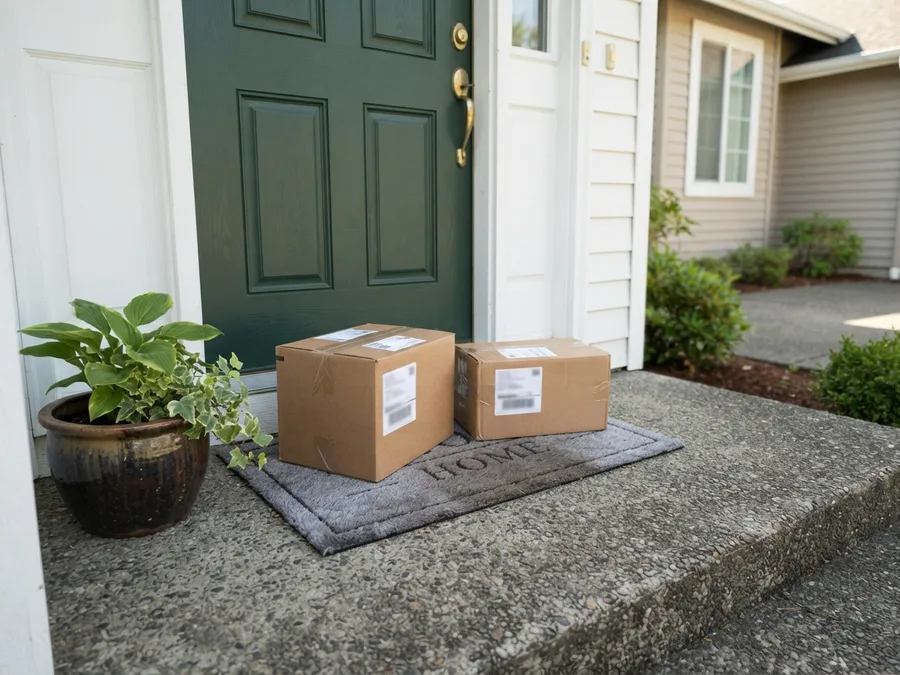
The customer gets a link and uses it: on the way, with an arrival time and the vehicle; then arrived, with the bay they are parked in. At a desk inside or at the kerb. Somebody collecting an order is the last person who should meet a password prompt.

Tracking that stops sharing when it should
The stage, the timeline, the van on a map while it is genuinely out, and proof of delivery at the end — a photograph, a signature and where it was left. The driver's position is exposed for that delivery and not a minute before or after it.

12
Orders
Web, phone, a rep, a file or a partner — one path, and the same order arriving twice is still one order.

13
Picking
Many orders for one location filled in a single walk, every line still bound to the order it belongs to.

14
Packing
Declare what actually goes in the parcel. The charge follows the packed order, not the ordered one.

15
Delivery
Zones drawn on a map, slots that close when the round is full, your own vans or a carrier.

16
Collection
A pickup desk with a live queue, the kerb with the customer's arrival and plate, and a kitchen screen.

17
Substitutions and returns
When something is not on the shelf the picker sees the customer's own instruction and a ranked replacement — or, on a trade account, it becomes a backorder held against that line rather than a silently short delivery. When goods come back: requested, approved, received, then decided line by line — onto the shelf, scrapped or held — and the money restated on what was actually supplied.

18
Reporting
A dashboard that writes the conclusion, not only the chart.

19
AI analyst
Ask in plain English which lines slipped and where the growth came from. It answers from live data and cannot state a figure it did not just fetch.

20
MCP
Point your own AI agent at the shop and give it ordinary instructions. It edits pages, copy and products under permissions you grant and revoke, and every change it makes is a version you can restore.
21 · Your other systems
Nothing you run has to be switched off
This is not a migration in the sense that word usually carries. Your tills keep ringing, your back office keeps invoicing, your reporting keeps reporting. The platform reads what they already produce, tells them what it has done, and can go live on one branch or one part of the range before it goes live on everything.


It reads the files you already produce
Your item file and your price file, in the form they already come in. Nothing is retyped, nothing is re-keyed into a second system, and no team is asked to maintain the catalogue twice.

The importer takes the shape of your source
It builds itself from the structure it is given rather than demanding a template, so the field your till vendor adds next year is a configuration change here instead of a project.

It tells your other systems what happened
An order placed, a price changed, a customer created — sent to whatever you want told, so the accounting system and the warehouse hear it from one place rather than from four nightly jobs.

Connections you grant and withdraw
Each one is registered by you, scoped to what it needs, and revocable in seconds. Nothing has standing access because somebody set it up once and left.

Your analysts connect to the data directly
A curated, business-named, read-only feed your reporting tool talks to with a key you issue — rather than an export somebody schedules and a spreadsheet that is wrong by Tuesday.

Payments, messaging and delivery are sockets
The gateway, the email and text provider, the carriers and the third-party logistics you already use plug in. Changing one later is changing one, not rebuilding a checkout.

Start with one branch or one range
The platform does not require a cutover weekend to be worth anything. Run it beside what you have, on a part of the business, and widen it when it has earned that.

Replaceable a component at a time
Because the parts talk over interfaces rather than being welded together, one of them can be swapped without the rest noticing — including, eventually, ours.

Your data stays yours
Your catalogue, your customers and your orders, in your infrastructure, exportable in full. There is no version of this where leaving means losing the record of your own business.
The work this removes
Where the time actually goes
A year of one person
Writing the detail for a catalogue of a few thousand products — the description, the specification, the allergens or the materials, and the text a search engine reads. At a few minutes an item it is roughly a year of somebody at a desk, which is why most catalogues never get it.
Generated across the whole catalogue at once, including read straight off a photograph of the packaging, and reviewed by a person before anything is published.
Weeks → an afternoon
A new page. Not only a campaign landing — a category, a brand, an editorial piece, a corporate page. The usual route is a brief, a designer, a developer and a release window, so the idea is three weeks old before anyone sees it.
The person who wanted the page builds it from ready sections and publishes it. Every save keeps the previous version, so nobody is afraid to try.
One instruction
A change across the whole catalogue. Rewrite the search text for the top hundred sellers. Enrich a range that arrived with nothing but a name and a price. Build a landing page out of this month's best sellers before the meeting ends. Every one of those is normally a ticket, a spreadsheet, a sprint or an agency — which is why they mostly do not happen.
You say it, in a sentence, to the AI assistant your team already uses. It reaches the shop through an approval you grant from your own login and revoke in seconds, every change it makes is a version you can restore, and nothing reaches a customer until a person publishes it.
The choice
Three ways to do this
Approaches, not vendors — so it still holds when the names on your shortlist are different ones.

A storefront, plus apps
Cheapest to start, and the widest choice of add-ons.
Picking, delivery, order management and collection are each a separate application — a licence, an admin screen, an integration and a support boundary each. The shop and the operation never quite agree, and the bill grows with the revenue.

A marketplace, in your colours
Fastest to launch, and it arrives with an audience.
The storefront, the picking and the delivery are theirs. So is the customer: you rent the relationship and pay a share of every sale for as long as it lasts.

EazyShop
One system for the selling and the supplying.
The shop, the catalogue, the orders, the aisle, the van and the reporting on one set of facts and behind one login. Your tills and back office stay where they are. One team accountable when something breaks, and a bill that does not grow with your success.
Start here
Not a website project
A new operating model for the company. Point us at wherever your products already live and look at your own catalogue, at your own prices — and we will tell you, unasked, what we have not built.